
For years it was simple. Mom turned on the television, found her channel, and there was her Bible teacher, her gospel quartet, her Sunday-morning preacher. Then the cable bill went up again, or the family switched to streaming, or she moved into a care home with a different TV. Now the programs she leaned on are gone, and the remote has thirty buttons nobody understands.
If that sounds like your house, this guide is for you. You can watch Christian TV free without cable. You don't need a satellite dish, a contract or a credit card. In most homes all you need is the internet you already have and about ten minutes.
We wrote this for two readers at once: the 75-year-old who wants her programs back, and the son or daughter who will set it up over the holidays. The steps are short and numbered, and nothing here can break your television.
Why so many seniors lost their Christian programs
In May 2025, Nielsen reported that for the first time, Americans spent more of their TV time on streaming (44.8 percent) than on regular broadcast and cable put together (20.1 and 24.1 percent). Families keep cancelling cable. In the first three months of 2026 alone, pay-TV companies lost about 2.03 million customers, leaving about 40.9 million subscribers with traditional cable, phone-company or satellite TV, according to MoffettNathanson figures reported by Light Reading.
When a household drops cable, the Christian channels go with it, even though many of those ministries now stream free online.
The good news is that older Americans are more connected than ever. Pew Research Center's 2026 survey found that 89 percent of adults 65 and older use the internet, and Pew's mobile survey found that 79 percent own a smartphone. But Pew also found that only 71 percent of them have broadband internet at home, so we'll cover options that need no internet too.
The four honest ways to get Christian TV without cable
Here is every free option, with the good and the not-so-good. Most families use two.
Option 1: Watch free in a web browser on Eternity Ready
A web browser is the program you use to visit websites. On an iPad it's usually Safari; on a computer it might be Chrome, Edge or Safari. If you can open a website, you can watch.
Eternity Ready puts more than 80 live Christian channels on one page, free, with no account and no sign-up. Press a channel and it plays. Some that families ask for most:
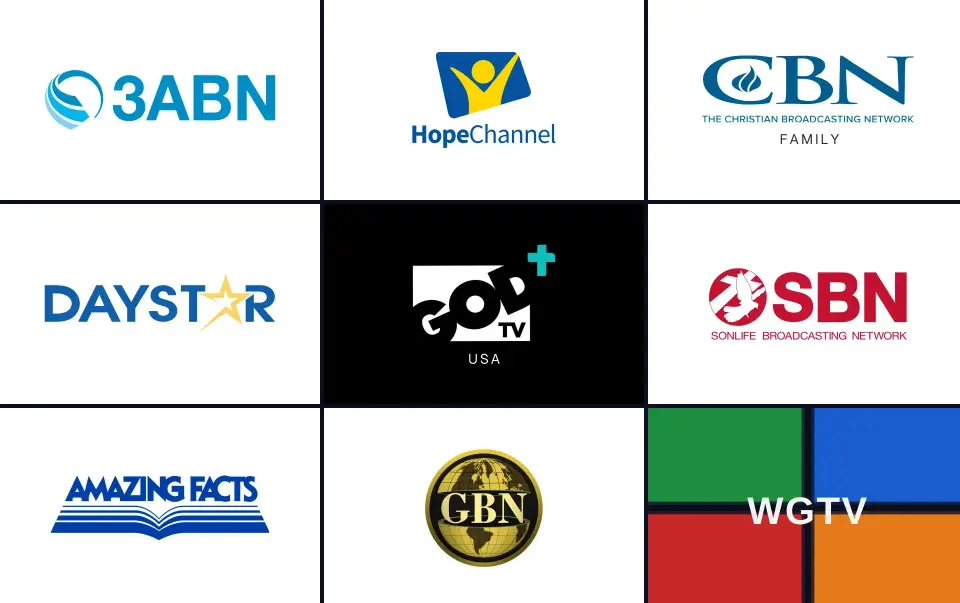
- 3ABN, plus 3ABN Proclaim for preaching and 3ABN Kids for the grandchildren
- Hope Channel, the Seventh-day Adventist Church's network, with programs on health, the Bible, nature and family
- CBN Family and CBN News from the Christian Broadcasting Network
- Daystar, the 24/7 faith network
- GOD TV USA, with ministry programs, worship and live events
- SonLife TV from Jimmy Swaggart Ministries, with gospel music and teaching
- Amazing Facts TV with Pastor Doug Batchelor
- Gospel Broadcasting Network (GBN), Bible-based programs from Olive Branch, Mississippi
- NRB Network, TCT and Sid Roth's network
- Our own channels: Eternity Ready TV (Bible teaching in the morning, family favorites in the afternoon, faith-filled movies at night), Worship God TV (worship around the clock) and Rapture Ready TV (Bible prophecy teaching)
The good: It's all free, in one place, on almost any screen, with nothing to install. The same site has more than 300 Christian radio stations, free movies, sermons and a Bible that reads aloud.
The not-so-good: Each network runs its own stream, so now and then a channel is off the air for maintenance. If one won't play, pick another and try again later.
Option 2: The networks' own free apps
An app is a small program you install on a phone, tablet or streaming box. Many Christian networks offer free apps:
- TBN+ is free to download, and its App Store listing says it includes the live TBN broadcast on smart TVs, Roku, Fire TV, Apple TV and phones. There's an optional paid Premium tier, and live channels may show ads.
- Daystar has a free app in the App Store.
- 3ABN+ is free on Roku, Apple TV, Fire TV, phones and tablets, and 3ABN says you don't need an account.
- EWTN, the Catholic network, streams through its app on Roku, Fire TV, Apple TV, Google TV and more. Its Roku help page says EWTN "is completely free on Roku."
- CBN lists its apps, including CBN Family and CBN News, on its apps page.
The good: Apps are made for the TV remote, so they're easy once installed.
The not-so-good: Each app shows only one network. If Mom loves three ministries, that's three apps and three sets of menus, and someone has to install them.
Option 3: A free antenna for broadcast Christian channels
Local TV stations still send programs through the air for free, just like in the old days, and some Christian networks own stations in many cities. TBN, for example, owns dozens of full-power stations, and a station can carry several extra channels, called subchannels, which show up as a number with a dot after it (for example, a channel number followed by .2 or .3), according to Wikipedia's history of the network.
What you get depends on where you live. To find out before you buy anything:
- Go to the FCC's free DTV Reception Maps page.
- Type in the home's street address, city and state.
- Look at the list of stations. Each one is marked by how strong its signal is at that address.
- Look up any station you don't recognize to see what it carries.
The FCC's map assumes an outdoor antenna about 30 feet up, so an indoor antenna may get fewer channels; the FCC's guide to antennas and digital television explains why. After connecting an antenna, use the TV's menu to run a channel scan (sometimes called "auto program") so the TV finds every channel it can receive.
The good: No internet and no monthly bill, ever.
The not-so-good: You may get one or two Christian stations, or none, depending on the address.
Option 4: Christian radio, often the easiest of all
For someone with weak eyes, a tremor or little patience for menus, radio can be the best gift of all: press play once, and hymns, preaching and gospel music fill the room all day.
Our radio page plays more than 300 Christian stations free, including Eternity Ready Radio. For Southern Gospel, try Affirm Southern Gospel Radio, Branson Gospel Radio or SGM Radio. For hymns, try Sacred Turntable or Wonderful Grace Instrumental. For Bible teaching, try Bible School Radio KRTM.
Step by step: setting it up on the TV
Pick the one that fits what's already in the house.
On a smart TV's web browser
A smart TV connects to the internet by itself. If it has apps like Netflix or YouTube on its home screen, it's a smart TV, and most include a web browser.
- Press the Home button on the TV remote.
- Look for an app named Internet, Web Browser or Browser. (Samsung usually calls it "Internet"; LG calls it "Web Browser.")
- Open it and select the address bar at the top.
- Type eternityready.com/tv with the on-screen keyboard and press OK.
- Choose a channel. When it starts, select the full-screen button (a box with four corners).
- Use the browser's bookmark or favorite option so you never have to type the address again.
TV browsers can be slow, and a few can't play every video. If yours struggles, use another method below.
Fire TV owners: Amazon's help page says to open Apps and choose the Internet app, or say "Alexa, open Amazon Silk." Then follow steps 4 to 6.
Google TV and Android TV owners: our Help page links to the free Eternity Ready TV app on Google Play.
On a Roku, Fire TV or Chromecast, by sending the picture from a tablet or computer
Casting or screen mirroring means sending what's on a tablet, phone or computer to the TV, so a small screen becomes a big one. Roku devices don't come with a regular web browser, so this is how to get Eternity Ready onto a Roku.
From an iPad or iPhone to a Roku or Apple TV (Roku's AirPlay help page lists which Roku models work):
- Make sure the iPad and the TV are on the same Wi-Fi.
- On the iPad, open Safari and go to eternityready.com/tv.
- Swipe down from the top-right corner of the screen to open Control Center.
- Tap Screen Mirroring and choose your Roku or Apple TV.
- If the TV asks, choose Allow or Always allow.
- Start a channel and tap the full-screen button.
From an Android phone or a Windows computer to a Roku: Roku's screen mirroring guide says to tap Smart View in the Android quick settings, or press the Windows key and K on a Windows 11 computer, then pick the Roku.
From a computer to a Chromecast or Google TV (from Google's casting help):
- Open Chrome on the computer and go to eternityready.com/tv.
- Select the three dots in the top-right corner, then Cast, save, and share, then Cast.
- Choose your Chromecast. Picture and sound move to the TV.
- To stop, select the Cast button by the address bar and choose Stop casting.
When you mirror a tablet, it must stay on the whole time, so plug it into its charger.
On a tablet or iPad, with a one-tap button
Many seniors find a tablet easier than any remote: the screen is close, and you just touch what you want. To put Christian TV on the home screen like an app:
- Open Safari on the iPad and go to eternityready.com/tv.
- Tap the Share button (a square with an arrow pointing up).
- Tap Add to Home Screen. (On some iPads, tap View More first. If it's still missing, scroll down and tap Edit Actions to add it.)
- Name it something simple, like Christian TV, and tap Add.
- Do the same for eternityready.com/radio and name it Gospel Radio.
Now there are two big buttons on the home screen. On an Android tablet, open Chrome, tap the three dots and choose Add to Home screen.
On a computer connected to the TV with a cable
- Find an HDMI cable (flat, wide plugs; most TVs come with one). Newer laptops may need a small HDMI adapter.
- Plug one end into the laptop and the other into the TV.
- Press Input or Source on the TV remote and choose the HDMI number you used.
- On the laptop, open the browser, go to eternityready.com/tv, pick a channel and select full screen.
Radio on a smart speaker, using Bluetooth
Bluetooth lets a phone or tablet send sound to a speaker without wires.
- Turn on Bluetooth in the phone or tablet's Settings.
- On an Amazon Echo, say "Alexa, pair Bluetooth." (Amazon's help page has more.) For other speakers, hold the Bluetooth button until a light blinks.
- On the phone, tap the speaker's name in the Bluetooth list.
- Open eternityready.com/radio, choose a station and press play.
Making it senior-friendly
- Make the words bigger. On a computer, hold Ctrl and press + (on a Mac, Command and +). On an iPad, tap aA in Safari's address bar and tap the bigger A.
- Turn on captions. Movies and videos on Eternity Ready that play from YouTube start with captions on when the video has them, with a CC button to switch them off. Most live channels don't carry captions; that's up to each network.
- Save favorites. A free Eternity Ready account (no credit card) lets you tap the heart to save favorite channels and stations on every device, pick up movies where you left off, and keep a "My Radio" list. Create one here. You never need an account just to watch or listen.
- Know what's free. Watching and listening on Eternity Ready is free. We accept donations and offer an optional paid Plus membership, but neither is ever required.
- Watch out for scams. Free Christian TV never needs your credit card. If a pop-up, call or email says you must pay or "verify your card" to keep watching, close it and call a family member first.
A cheat sheet to print and tape by the TV
Copy this onto a card in large letters:
- To watch Christian TV: tap the Christian TV button on the iPad (or type eternityready.com/tv). Tap a channel. Tap the square corners for full screen.
- To listen to gospel radio: tap the Gospel Radio button (or type eternityready.com/radio). Tap a station.
- If a channel won't play: wait a minute, then pick a different one.
- To make words bigger: tap aA (iPad) or press Ctrl and + (computer).
- It's free. Never give a card number to watch.
- Need help? Call or text Eternity Ready at (816) 972-9808 during office hours, or call ______________ (family).
What to watch, by what you love
Bible teaching. Try Eternity Ready TV in the morning, 3ABN Proclaim, Amazing Facts TV or GBN. For voices you remember from radio, our Bible Teachers page has sermons from J. Vernon McGee, Adrian Rogers, Charles Stanley, David Jeremiah and Billy Graham, ready whenever you are.
Worship and hymns. Worship God TV plays worship day and night. For the old hymns, try the radio: Sacred Turntable plays classic sacred and gospel music, and Sound of Majesty brings back hour-long sacred music programs first aired on Moody radio.
Southern Gospel. On TV, try Branson Gospel TV, live from Branson, Missouri, Wylie Gospel TV, Ohio Valley Gospel TV and Family Friendly Entertainment, with Southern, bluegrass and country gospel 24 hours a day.
Classic movies. Our movies page has hundreds of free Christian films. Many older viewers remember The Hiding Place, the story of the ten Boom family hiding Jews in wartime Holland; Martin Luther (1953); and the JESUS film.
Christmas, starting now. Try Christmas Oranges, A Christmas Star or The Christmas Apron, or browse our 30+ free Christian Christmas movies. STAR Christmas, A Family Life Christmas and Peaceful Christmas from Family Life play Christmas music all day, and our Christian Christmas radio guide tells the stories behind the songs.
The Bible, read aloud. Our free online Bible can read Scripture aloud, a blessing for tired eyes, and Bible in a Year gives a short reading for each day.
For churches and families: helping someone who can't get out
Many who miss Christian TV most can no longer get to church.
- Set it up in person. Bring the tablet on your next visit. Add the two home-screen buttons, make the text bigger, and practice together two or three times, letting them press the buttons.
- Leave the cheat sheet, with your phone number on it.
- Visit with a tablet. Watch a sermon together, then talk about it. Play a hymn they love and sing along.
- Nursing homes and assisted living. Ask staff for the Wi-Fi name and password and write them on the cheat sheet. A tablet stand and comfortable headphones help in a shared room. Ask the activities director whether the common-room TV can show a Sunday service or gospel concert for everyone.
- Church visitation teams. Keep a church tablet ready for homebound visits, and post requests together on our Prayer Wall.
Frequently asked questions
How can seniors watch Christian TV for free?
The simplest way is a web browser. Go to eternityready.com/tv on an iPad, computer or smart TV and tap a channel. There's no cost and no sign-up. You can also install the networks' free apps on a Roku or Fire TV, or use an antenna for Christian stations broadcast where you live.
Can I watch TBN, 3ABN or Daystar without cable?
Yes. 3ABN and Daystar both play live on Eternity Ready, and both have free apps. TBN isn't on Eternity Ready, but its free TBN+ app includes the live TBN broadcast, and in many cities TBN comes in free with an antenna.
What is the best free Christian TV app?
If you love one network, its own app (TBN+, 3ABN+, Daystar, EWTN or CBN) is a good choice. If you want many networks in one place, Eternity Ready gathers more than 80 live Christian channels plus radio, movies and sermons, in any web browser. There are also free Eternity Ready apps for iPhone, iPad and Android; our Help page links to them.
How do I get Christian channels on my TV without cable?
Open Eternity Ready in your smart TV's web browser, send the picture from an iPad, phone or computer by casting or screen mirroring, or plug a laptop into the TV with an HDMI cable. For channels through the air, connect an antenna and run a channel scan.
Is there free Christian TV on Roku?
Yes. TBN+, 3ABN+ and EWTN all offer free apps on Roku. Eternity Ready doesn't have a Roku channel, but you can watch it on a Roku by mirroring an iPad, iPhone, Android phone or Windows computer, using the steps above.
You haven't lost your church on the screen
The programs may have moved, but they haven't disappeared, and neither has the God they point to. He has a promise for this season of life too:
"And even to your old age I am he; and even to hoar hairs will I carry you: I have made, and I will bear; even I will carry, and will deliver you." — Isaiah 46:4 (KJV)
Whether you're 75 and finding your way around a tablet, or the grown child setting it up between Thanksgiving pie and Christmas carols, we're glad you're here. Turn on a channel, find a station, and let the hymns and the preaching fill the house again. And if you've never settled the biggest question of all, our Are You Eternity Ready? page explains, simply and gently, how to know Jesus.
From all of us at Eternity Ready: welcome home.
Sources
- Streaming Reaches Historic TV Milestone, Eclipses Combined Broadcast and Cable Viewing for First Time — Nielsen, June 17, 2025
- US pay-TV sheds 2M subscribers in Q1 — Light Reading, May 29, 2026 (MoffettNathanson data)
- Americans' Use of Internet, Broadband in 2026 — Pew Research Center, October 19, 2026
- Americans' Use of Mobile Devices in 2026 — Pew Research Center, October 19, 2026
- TBN+ Christian Streaming and Daystar — Apple App Store
- Ways to Watch — 3ABN
- How can I watch EWTN if I don't have cable TV? and Roku FAQs — EWTN
- CBN Apps — CBN
- Trinity Broadcasting Network — Wikipedia
- DTV Reception Maps and Antennas and Digital Television — FCC
- How to Browse the Internet on Your Fire TV Device and Connect Your Phone or Bluetooth Speaker to Alexa Echo — Amazon
- Screen mirror your phone, tablet, or computer to Roku and AirPlay and HomeKit with Roku — Roku
- Cast from Chrome to your TV — Google
- Bookmark a website in Safari on iPad — Apple

Comments · 0
Be the first to comment.